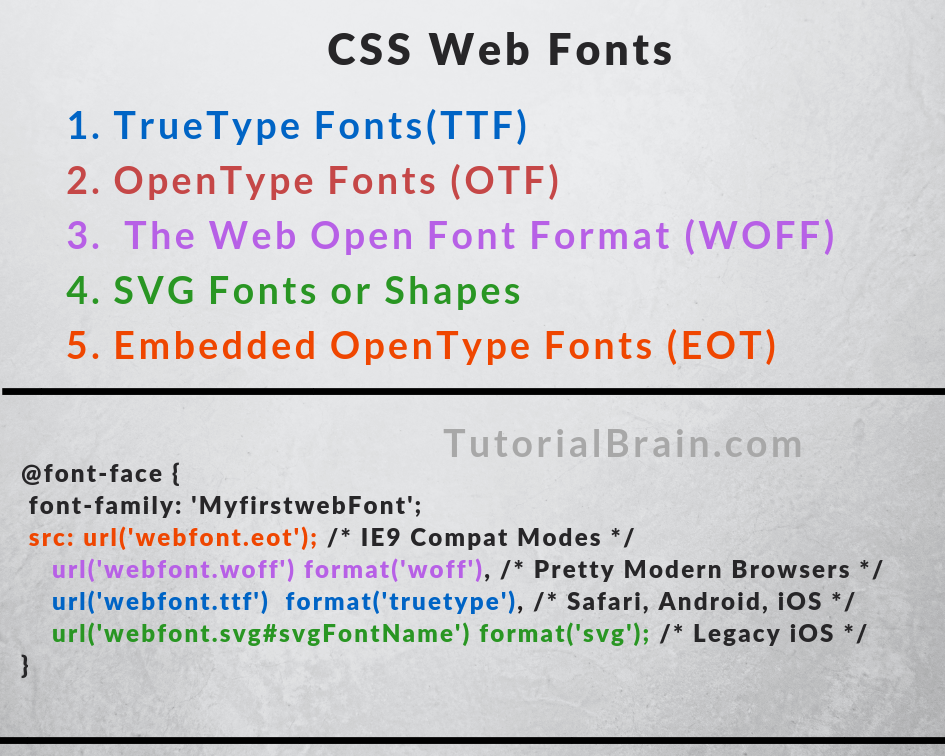
code @font-face Syntax
@font-face {
font-family: 'MyCustomFont';
src: url('fonts/myfont.woff2') format('woff2'),
url('fonts/myfont.woff') format('woff');
font-weight: normal;
font-style: normal;
font-display: swap;
}
font-family: 'MyCustomFont';
src: url('fonts/myfont.woff2') format('woff2'),
url('fonts/myfont.woff') format('woff');
font-weight: normal;
font-style: normal;
font-display: swap;
}
format_list_numbered Implementation Steps
1
Define @font-face rule at the top of your CSS
2
Specify font-family name to reference the font
3
Provide src with font file URLs in preferred order
4
Apply the custom font using the defined font-family
settings Key Properties
font_download
font-family
Name to reference the font in CSS
link
src
URLs to font files with format hints
format_bold
font-weight
Weight of the font (normal, bold, numeric)
format_italic
font-style
Style of the font (normal, italic, oblique)
swap_horiz
font-display
Controls how font is displayed during loading