arrow_drop_down_circle
Dropdown Boxes
<select name="country">
<option value="us">United States</option>
<option value="uk">United Kingdom</option>
</select>
check_circle
Creates a dropdown list of options
check_circle
Uses <option> elements for each choice
check_circle
Saves screen space for long lists
check_circle
Can set default option with 'selected' attribute
format_list_bulleted
Multiple Selection
<select name="skills" multiple>
<option value="html">HTML</option>
<option value="css">CSS</option>
</select>
check_circle
Add multiple attribute to allow selecting multiple options
check_circle
Users can hold Ctrl/Cmd to select multiple items
check_circle
Can set size attribute to control visible options
check_circle
Useful for selecting tags, categories, or skills
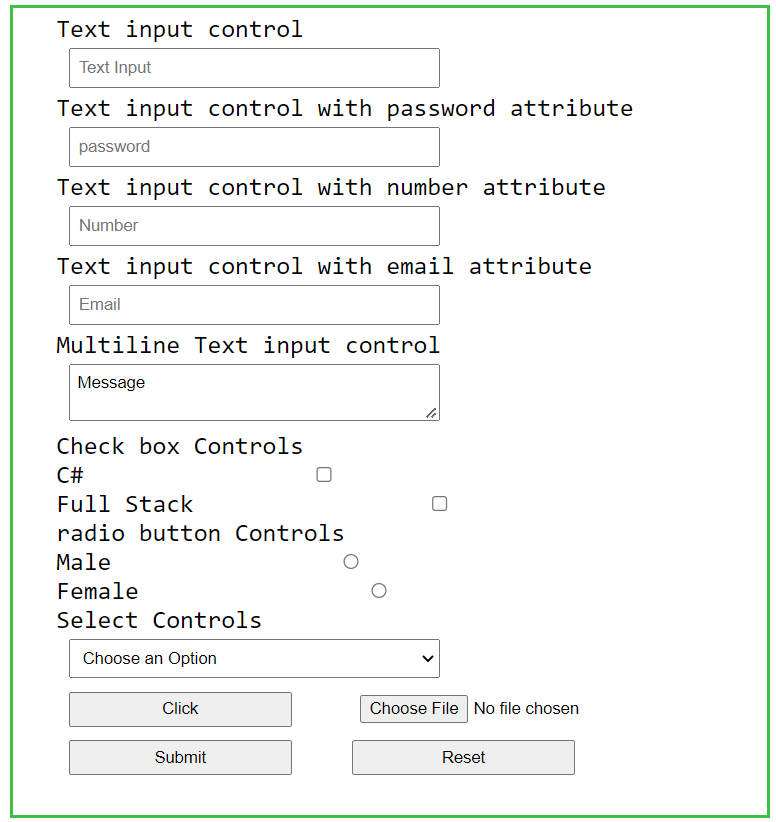
code
Example Implementation
| Attribute | Purpose |
|---|---|
| name | Identifies the form data |
| multiple | Allows selecting multiple options |
| size | Number of visible options |
| required | Makes selection mandatory |